![tatari-lockup-black.png]](https://tatari-5147324.hs-sites.com/hs-fs/hubfs/tatari-lockup-black.png?height=40&name=tatari-lockup-black.png)
Overview
We track your unique website visitors using our pixel, Tatari Tag Manager, that you install across all web pages. However, it's also required to integrate with Google Analytics so we can tune our understanding of your website traffic.
Before you authorize your integration with us later in your onboarding, please review the list below.
Note: Currently, we only support GAv3 accounts.
Step 1: Confirm your Google Analytics View has unfiltered consumer website traffic
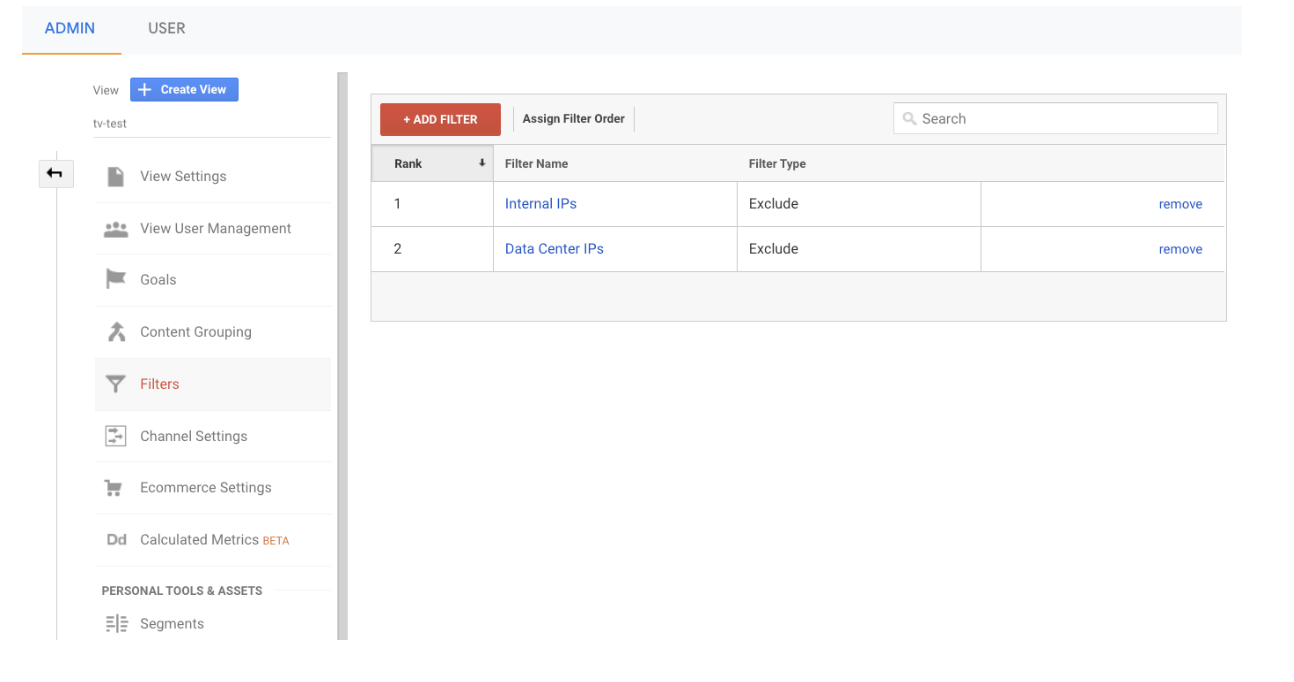
Unfiltered consumer website traffic includes all website traffic except data center IPs, internal IPs, and bots. IPs that belong to data centers are usually attributable to internal workflows such as Q&A processes and/or bots. This traffic tends to create spikes in your baseline traffic and needs to be filtered out in GA. We’re unable to filter this traffic because IPs are not available through the GA Core Reporting API (what we use to pull your data).
See how your View should look below, where internal IPs and data center IPs are excluded.
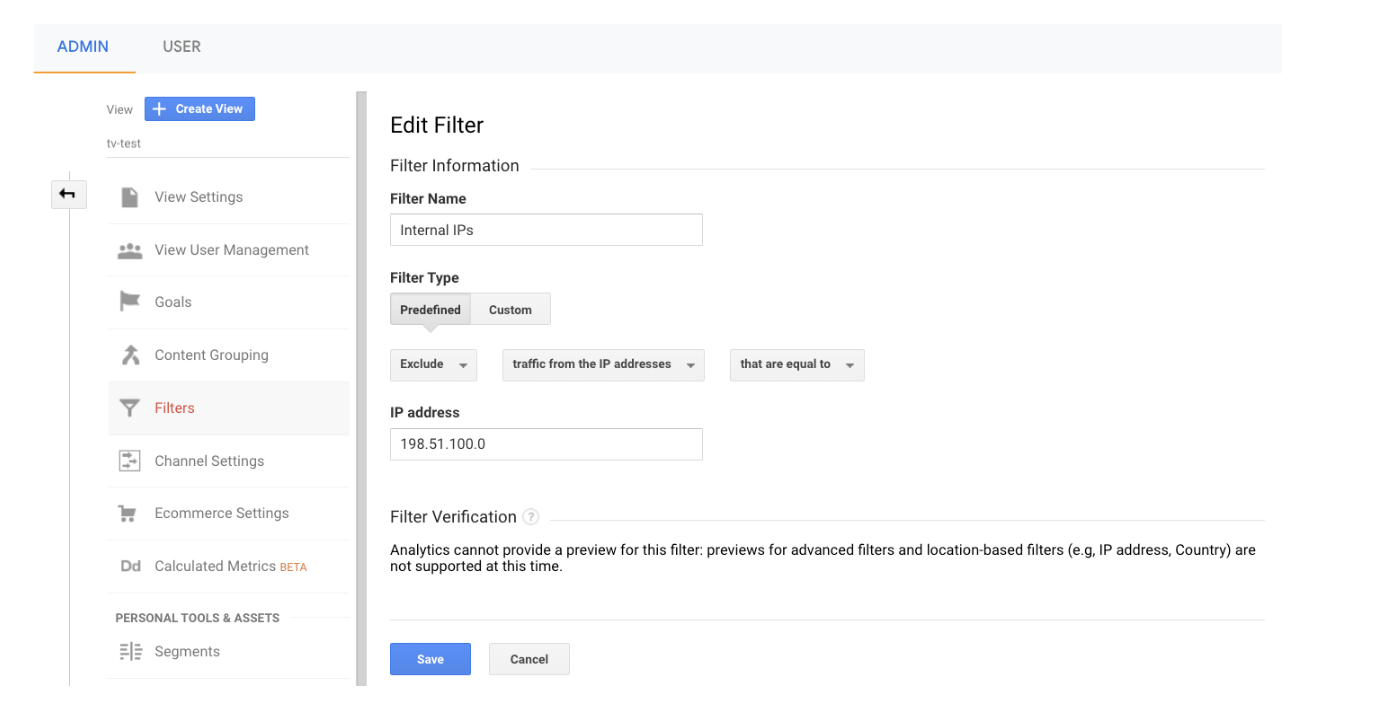
See an example filter below and learn more from Google on how to create them.
We also recommend enabling GA's internal Bot and Spider filtering on the View provided to Tatari. This setting can be enabled under View Settings > Bot Filtering. See an example below and learn more here. 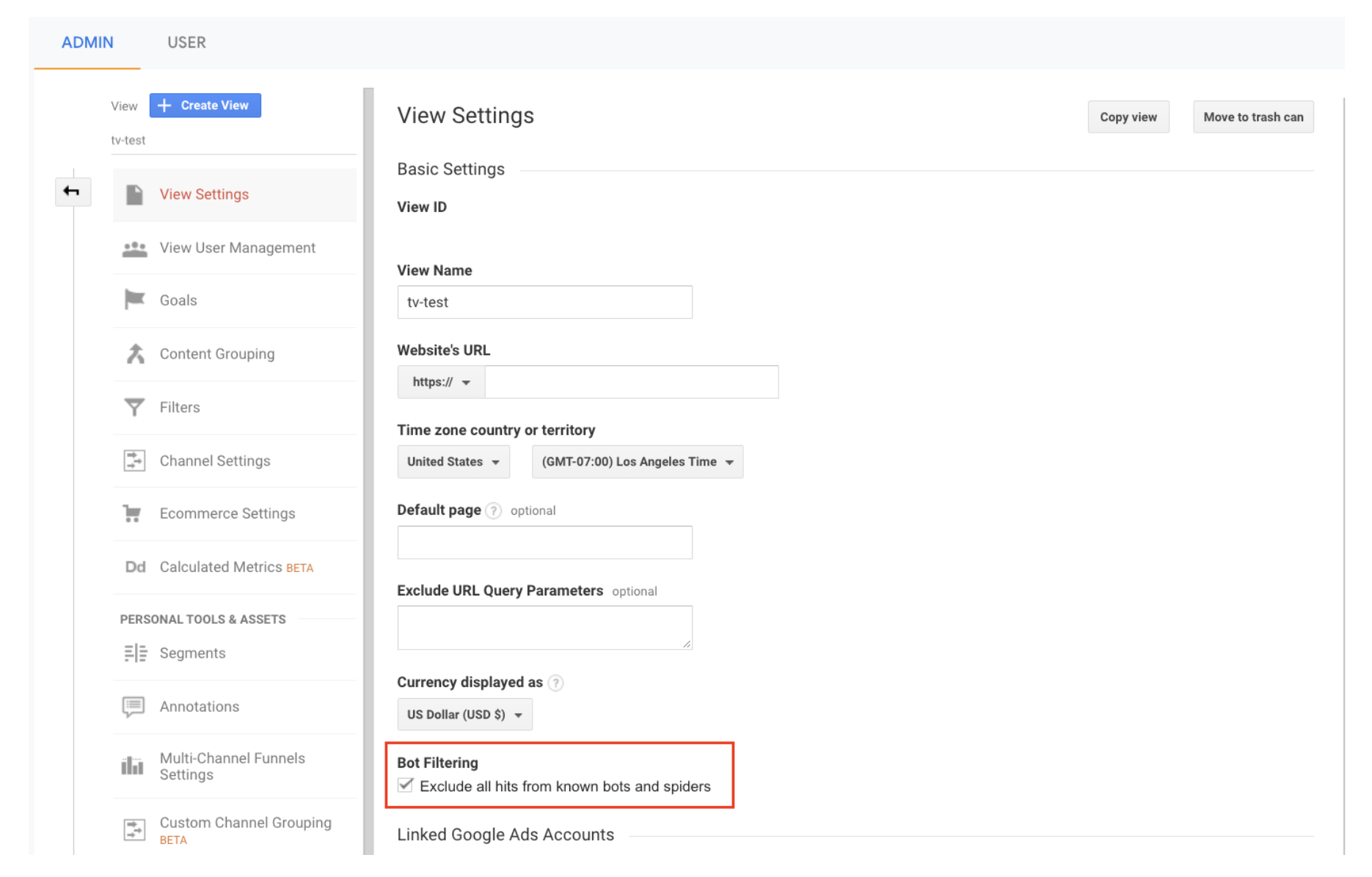
Step 2: Ensure marketing campaigns have appropriate UTM tags
It’s important for all marketing campaign URLs to be tagged appropriately so we can establish an accurate baseline that allows us to effectively measure and attribute TV response.
Lastly, please keep your Tatari Client Services Manager informed of any new marketing campaigns your team launches throughout your time with Tatari so we can filter out spikey, non-TV-driven traffic that can hinder the accuracy of the baseline construction and lift attribution.